(click to expand)
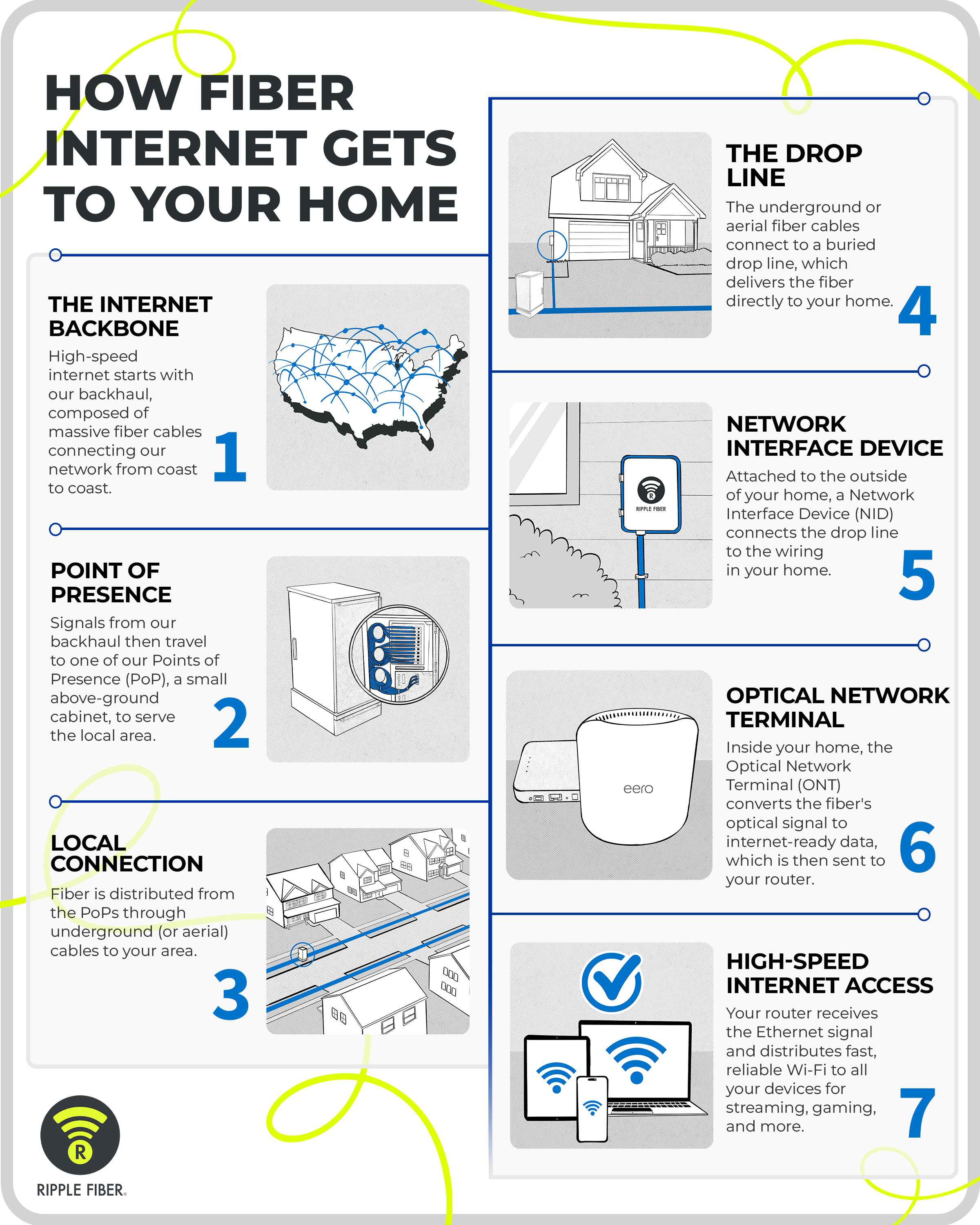
To bring you lightning-fast internet, your fiber optic connection takes quite the journey to get to your home. Its complex path is thoughtfully engineered and comprised of a massive fiber cable network that leads to your street and into your home. Ripple Fiber’s infographic breaks it down step by step, so you can better understand how fiber travels and connects you to streaming, gaming, and everything in between.
Step 1: The Internet Backbone
High-speed internet starts with our backhaul, composed of massive fiber cables connecting our network from coast to coast.
Step 2: Point of Presence
Signals from our backhaul then travel to one of our Points of Presence (PoP), a small above-ground cabinet, to serve the local area.
Step 3: Local Connection
Fiber is distributed from the PoPs through underground (or aerial) cables to your area.
Step 4: The Drop Line
The underground or aerial fiber cables connect to a buried drop line, which delivers the fiber directly to your home.
Step 5: Network Interface Device
Attached to the outside of your home, a Network Interface Device (NID) connects the drop line to the wiring in your home.
Step 6: Optical Network Terminal
Inside your home, the Optical Network Terminal (ONT) converts the fiber's optical signal to internet-ready data, which is then sent to your router.
Step 7: High-Speed Internet Access
Your router receives the Ethernet signal and distributes fast, reliable Wi-Fi to all your devices for streaming, gaming, and more.
Ready to schedule your White Glove Installation? Check availability in your neighborhood and get connected to Ripple Fiber's lightning-fast internet.
Last updated: August 4, 2026